





$ 0.36
Software y licencias · Steam · Global
Producto digital. Comprueba la región y las condiciones de activación antes de comprar.
Antes de comprar: indicaciones del proveedor
Región declarada: Global. Las condiciones específicas de activación se detallan debajo.
Instrucciones de activación en español
Instrucciones originales del proveedor
Hay existencias
Preguntar por este productoInformación del producto
- Plataforma: Steam
- Región: Global
- Formato: código digital
Antes de comprar
Verifica que la plataforma, la moneda y la región sean compatibles con la cuenta donde usarás el código. No es un producto físico.
Descripción del producto
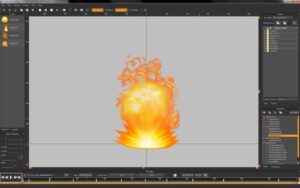
Spriter: Game Effects Pack Steam CD Key Platform: Steam Release Date: 04/06/2015 Product Description Requires the base application /category/18454/spriter-pro-steam-cd-key/ on Steam in order to use. This art pack is loaded with over 105 professionally drawn and animated, ready to use impact effects, explosions, fireballs, puffs of smoke and dust, magic effects, lightning effects, bonus and pick-up effects, blood splatters and more.In Spriter you can easily customize the animations to suit your needs or the images in your own unique ways to create completely original animations. Buy this content once and it remains royalty free (non-transferable) for you to use in any of your games, whether they’re free, shareware, or commercial.Export your finished animation either as Spriter xml or json formats, sequential images, GIF animations, or sprite sheets at any FPS, resizing as needed.Important note: Everyone who has purchased Spriter Pro automatically received free (reduced content) Essentials versions of all of our Art Packs, including the Essentials version of this Art Pack. Be sure to compare the content of the Essentials Art Pack you already own with the content shown in the preview linked. You can find your Essentials art packs in the following Steam installation folder location:/SteamApps/common/Spriter/Art Packs/Essentials System Requirements PC System Requirements Storage: 10 MB available space Mac System Requirements Storage: 10 MB available space Linux/SteamOS System Requirements Storage: 10 MB available space
Activación
2. Instala y abre la aplicación. Inicia sesión con tu nombre de cuenta y contraseña; crea una cuenta si no tienes una.
3. Para activar una compra Retail, abre Steam e inicia sesión. En el menú «Games» (Juegos), selecciona «Activate a Product on Steam…» (Activar un producto en Steam).
4. Sigue las instrucciones en pantalla para completar el proceso.
5. Una vez verificado el código, abre la pestaña «MY GAMES» (Mis juegos) e inicia la descarga.
| Plataforma | Steam |
|---|---|
| Región de activación | Global |
| Tipo de producto | Software y licencias |
Sé el primero en valorar “Spriter: Game Effects Pack Steam Clave digital”
Productos relacionados

Códigos digitales
Hay existencias
Valoraciones
No hay valoraciones aún.