



$ 2.54
Software y licencias · Consultar requisitos · Global
Producto digital. Comprueba la región y las condiciones de activación antes de comprar.
Antes de comprar: indicaciones del proveedor
Región declarada: Global. Las condiciones específicas de activación se detallan debajo.
Instrucciones de activación en español
Para canjear el código, sigue estas instrucciones:
PC: descarga el software desde http://anywhere.webrootcloudav.com/zerol/wsabbs2.exe. Localiza el archivo guardado y haz doble clic para iniciar la instalación. Cuando se solicite, introduce tu código de licencia. Sigue las instrucciones que aparezcan.
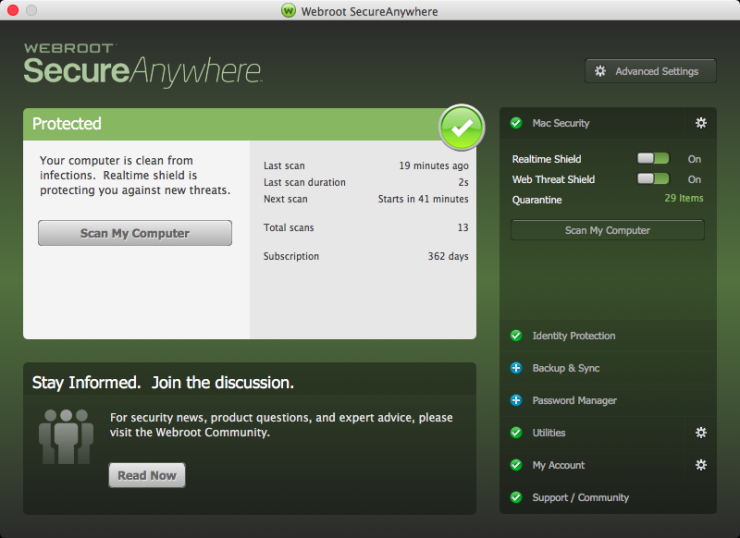
Mac: descarga el instalador de SecureAnywhere desde http://anywhere.webrootcloudav.com/zerol/wsamacbbs2.dmg. Haz doble clic en Webroot SecureAnywhere.app para abrirlo. Arrastra el icono de Webroot SecureAnywhere a la carpeta «Applications» (Aplicaciones). Abre esa carpeta haciendo doble clic en su icono. Dentro, haz doble clic en Webroot SecureAnywhere para iniciar la activación. En la primera ventana, introduce tu código y pulsa «Activate» (Activar). Después, el sistema preguntará si permites que SecureAnywhere realice cambios. Para confirmar la instalación, introduce la contraseña de tu sistema Apple y pulsa «OK» (Aceptar).
Instrucciones originales del proveedor
In order to redeem the code follow the instruction below: for PC: Download the software from http://anywhere.webrootcloudav.com/zerol/wsabbs2.exe Locate the file you saved and double-click the file to start the installation. When prompted, enter your keycode. Continue to follow the instructions as they appear. for MAC: Download the SecureAnywhere installer to your Mac from http://anywhere.webrootcloudav.com/zerol/wsamacbbs2.dmg Double-click Webroot SecureAnywhere.app to open the installer. Drag the Webroot SecureAnywhere icon into the Applications folder. Open the Applications folder by double-clicking the folder icon. In the Applications folder, double-click the Webroot SecureAnywhere icon to begin activation. In the first activation window, enter your keycode and click the Activate button. After you enter the keycode, a system prompt asks if you want to allow SecureAnywhere to make changes to your system. To confirm the installation, enter your Apple system password and click OK.
Hay existencias
Preguntar por este producto
Valoraciones
No hay valoraciones aún.